


In this article you'll read why it's worth the effort, how to get the most out of each method, and which agreements to put in an absence policy.
Why track attendance?
For a small choir it can seem unnecessary: you can see who's there, right? But as soon as an orchestra, band or choir grows, or a concert gets closer, it makes a difference:
- The conductor can plan the rehearsal. If there are only two clarinets on the second part, the conductor picks another piece or someone asks a stand-in.
- You arrange stand-ins in time. If you know on Tuesday that the solo trumpet is missing on Saturday, you still have four days to ask someone.
- You spot trends in attendance. Does attendance drop after the summer, or is one section missing more often? Then you can talk about it.
- It's fairer. Agreements about attendance, for example for taking part in a competition, only work if you track who was there.
Before and after: two different questions
It helps to keep two questions apart:
- Who's coming? A question in advance: members say whether they'll be at a rehearsal or performance.
- Who was there? A question afterward: someone checks off during or after rehearsal who actually showed up.
Many associations only do one of the two. The first helps with planning, the second with agreements and engagement. The methods below differ mainly in how well they answer those two questions.
Five ways to track attendance
1 A paper sign-in sheet
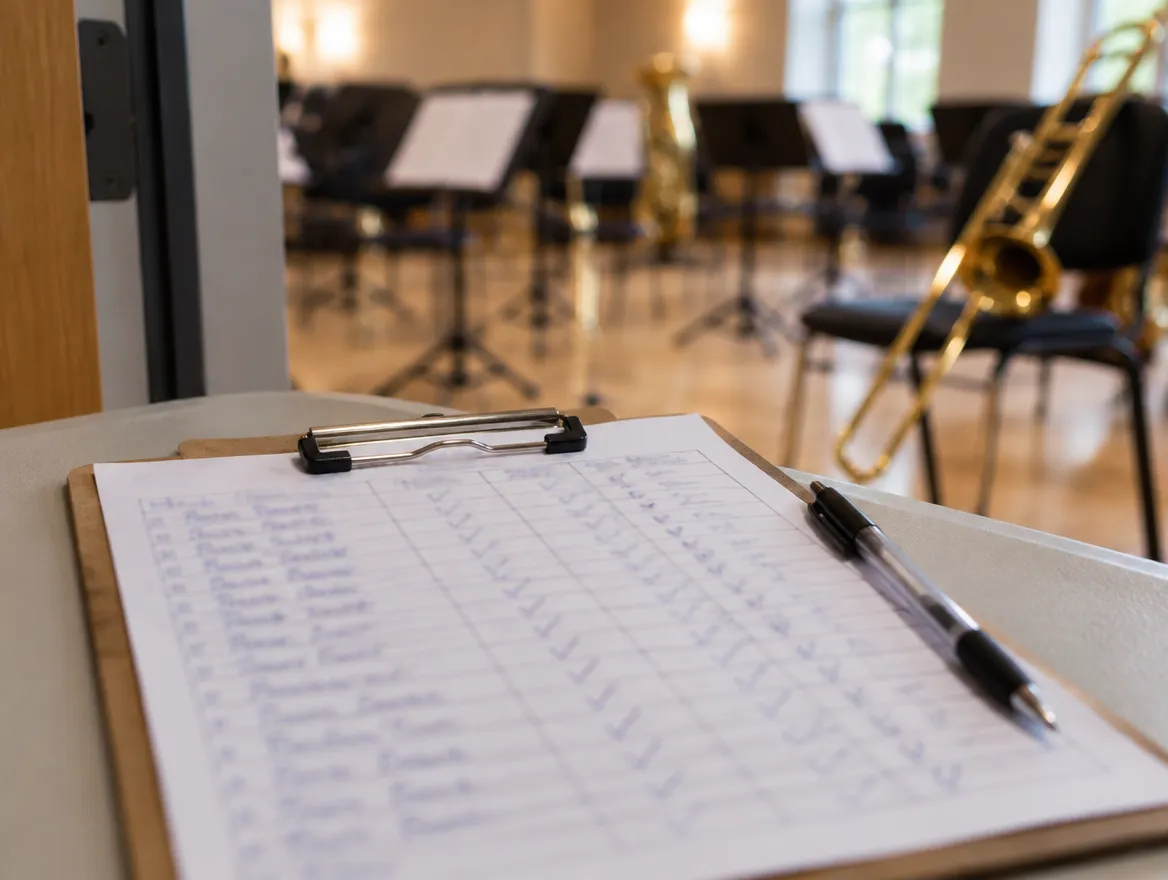
The classic: a list of names on a table by the door, or the secretary reading out the names at the start.
How to do it well:
- Make one list per season with all members, sorted by section, and the rehearsal dates as columns. You'll see at a glance who's often missing.
- Always put the list in the same place, and make one person responsible for keeping it and taking it home after rehearsal.
- Also note who let you know in advance they couldn't come (for example with an "E" for excused), so you can tell excused and absent apart.
Where it falls short: the list only answers the question afterward. It doesn't tell you who's coming on Saturday. And it's gone when the secretary is ill.
2 Excel or Google Sheets
A shared spreadsheet where members fill in their own attendance, or where the secretary copies over the paper list.
How to do it well:
- Use one tab per season, members as rows and rehearsals as columns, with a dropdown in each cell: present, absent, excused.
- Let a formula calculate the attendance percentage per member. That shows you the trends without counting.
- Put the file in Google Sheets or OneDrive and share a link, so members can fill it in themselves beforehand.
Where it falls short: members have to remember to open the file, and a spreadsheet is awkward on a phone. Anyone with the link can also change someone else's row.
3 A poll in the WhatsApp group
Someone posts a poll in the group: "Coming on Saturday? Yes / No / Not sure yet."
How to do it well:
- Always post the poll at a fixed moment, for example Sunday evening for the week ahead.
- Use one poll per rehearsal, with the date in the question, so old polls don't cause confusion.
- Ask for replies in the poll only, not as separate messages, or the group fills up.
Where it falls short: polls quickly disappear up the chat in a busy group. You barely notice who didn't reply, and afterward there's no overview per member. Anyone not in the group, like a new member or a stand-in, is left out.
4 Sending apologies by email or to one person
Members send a message or email to the secretary or section leader when they can't come.
How to do it well:
- Agree on one address or one person, and put it in your house rules or on your website.
- Have the secretary send the conductor a list of apologies before each rehearsal.
- Create a separate address such as
absences@yourassociation.org, so it doesn't depend on one person.
Where it falls short: you only hear who's not coming. Anyone who forgets to let you know is silently counted as present. And all the work lands on one person.
5 An app for your music association
An app made for associations: members reply on their phone, and the board and the conductor see who's coming to each rehearsal.
How to do it well:
- Choose an app that also works for members who aren't app people: replying should need no explanation.
- Put the whole season's rehearsals in at once, with a reply deadline, so nobody has to send a message every week.
- Stop using the old channels once everyone is on board. Sending apologies in two places at once doesn't work.
Where it falls short: everyone has to install the app and create an account, and some members need help with that at first. So look at how the app gets new users started: a clear introduction when they first open it, and a help center that explains every feature step by step. That means far less resistance from members, and fewer questions for the board. And unlike a paper list or a WhatsApp poll, an app often costs money.
All methods side by side
| Before (who's coming) | After (who was there) | Overview per member | Ease of use | |
|---|---|---|---|---|
| Paper sign-in sheet | No | Yes | With effort | Simple, but only on the spot |
| Excel / Google Sheets | Yes | Yes | Yes | Awkward on a phone |
| WhatsApp poll | Yes | No | No | Easy, but gets buried |
| Apologies by email | Only apologies | No | No | Easy for members, a lot of work for one person |
| An association app | Yes | Yes, with a roll call | Yes | Reply with a single tap; everyone has to install the app |
An absence policy: agreements that make every method work better
Whichever method you choose, it only works if everyone knows what's expected. So put a few agreements in writing, for example in your house rules or in a message at the start of the season.
Checklist for your absence policy:
- One channel. Where do members send apologies: the list, the poll, the email address or the app? Not in several places at once.
- A deadline. How late can someone still cancel? For example, no later than 24 hours before a rehearsal and a week before a performance.
- A reason, or not. Do you ask for a reason? A short reason (vacation, ill, work) helps the conductor, but don't make people explain themselves.
- Longer absences. How do members pass on that they're away for three weeks or can't come for a while? Doing it once, in advance, saves everyone messages.
- Who keeps track? One person or role, with a backup.
- What happens to the data? Tell members that you track attendance, why, and how long you keep it.
- What if someone is often missing? Agree to have a conversation, not to penalize. There's often a reason you can solve together.
For ways to improve attendance itself, read How to improve rehearsal attendance: 7 tips.
Tracking attendance in Orchesi
In Orchesi, members reply to a rehearsal with a single tap: present, maybe or absent, with a reason if they want to give one. You set a reply deadline, reminders go out automatically to anyone who hasn't replied, and members who are ill or going on vacation set a status and are automatically marked absent for that period. After rehearsal, you check off in the roll call who was actually there. See how the agenda works in Orchesi.